

Why Your Team Should Be Using OneNote
Let’s be honest: most team collaboration problems don’t start with a lack of effort. They start with scattered information.
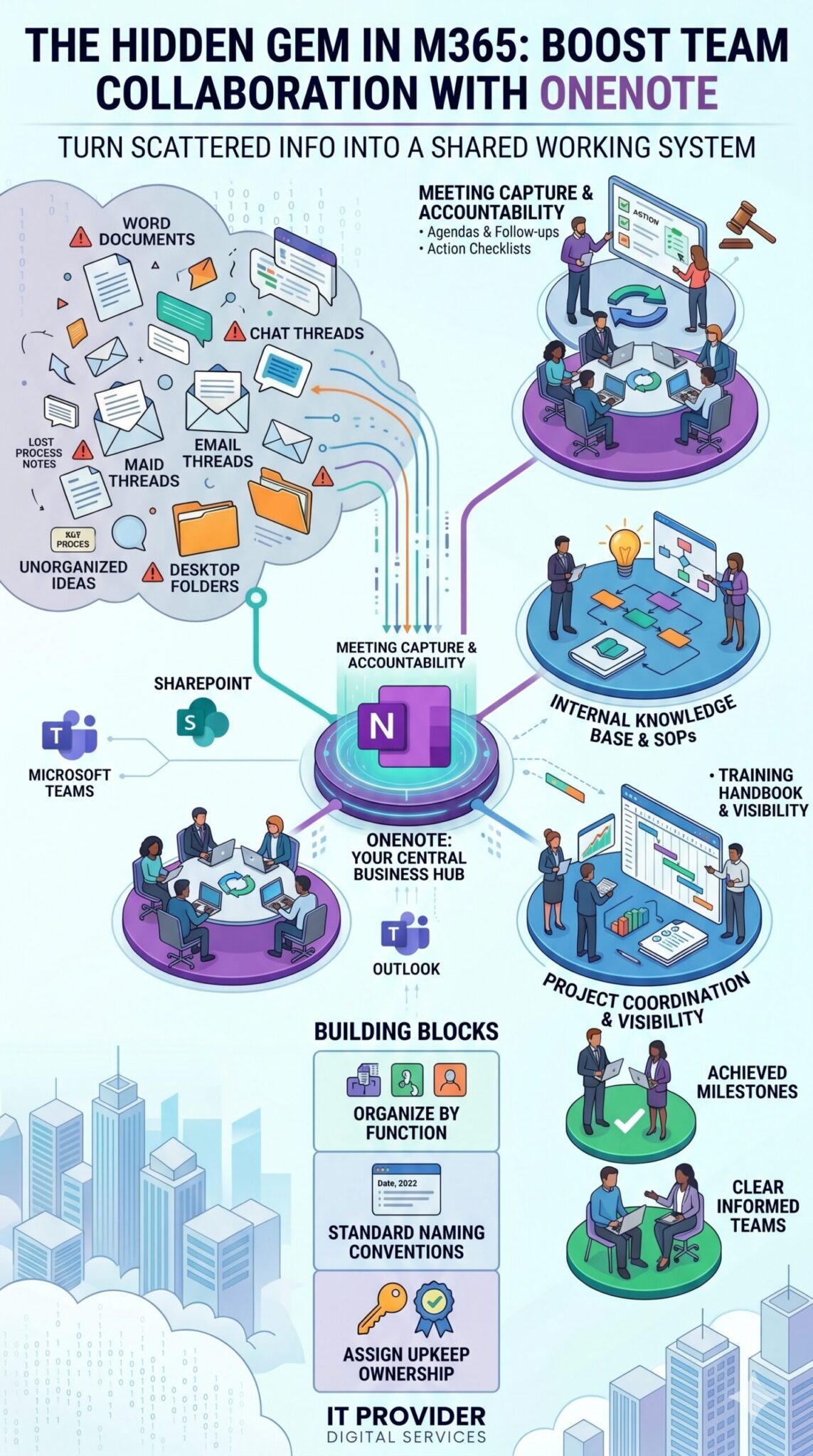
Think about your current setup. One team keeps meeting notes in Word. Another drops brilliant ideas into random chat threads. Project updates are buried in email chains, while crucial process notes sit in someone’s desktop folder under a filename nobody else understands.
Over time, even the most capable teams waste valuable energy retracing conversations, recreating decisions, and hunting for details they know exist somewhere.
That is exactly why OneNote deserves a lot more attention inside your Microsoft 365 environment.
For growing businesses, OneNote can turn disconnected note-taking into a powerful, shared working system. We frequently help organizations improve their Microsoft 365 workflows by focusing on the tools they already pay for but haven’t fully leveraged. OneNote is one of the clearest examples.
With over 90% of companies (with at least 100 users) already using Office 365, the conversation shouldn’t be about buying more software. It should be about using what you have, better.
Why OneNote Works So Well for Team Collaboration
Most large to emerging enterprises don’t need a complicated, expensive knowledge management platform. They just need a central place where notes are easy to create, find, and share.
That is where OneNote shines. A shared notebook can hold:
- Meeting agendas and minutes
- Project plans and timelines
- Client handoff details
- Standard Operating Procedures (SOPs)
- Training references and onboarding materials
Instead of keeping all of that knowledge fragmented across different apps and inboxes, teams can work from a structure that feels familiar and flexible, without a steep learning curve.
Where Teams Get the Most Value
OneNote becomes a game-changer when teams stop treating it like a personal digital scratchpad and start treating it as a shared operational resource.
Here is where we see teams getting the biggest wins:
- Meeting Capture: Stop leaving action items buried in Outlook threads. Keep agendas, decisions, and follow-ups in a shared notebook. It boosts accountability and stops the problem of everyone remembering the meeting differently.
- Project Coordination: Keep timelines, vendor call notes, draft ideas, and research links in one dedicated section. Notes are only valuable if they stay usable after the meeting ends.
- Internal Knowledge Base: Document repeatable tasks once, refine them over time, and keep them accessible for cross-training or onboarding new hires.
The Power Combo: OneNote + Microsoft Teams
Many businesses use Microsoft Teams heavily but completely overlook how useful OneNote can be right inside that environment.
Strong integration between OneNote and Teams makes collaboration seamless. You can pin notebook tabs directly inside Teams channels. This means a marketing team can keep campaign notes right next to their campaign chat. An operations team can store SOP updates next to workflow conversations.
You aren’t just storing information; you are removing the friction between discussing a project and documenting it.
Good Structure is What Keeps It Useful
Because OneNote is so flexible, it can easily become a messy “junk drawer” if you aren’t careful. Without basic usage standards, pages multiply, sections overlap, and important notes get buried. The problem isn’t the platform—it’s the absence of a framework.
To get the most out of OneNote, establish a few simple rules:
- Organize by Function: Build notebooks by department or project, not by individual preference.
- Standardize Naming: Use a consistent naming format for pages (e.g., Date – Topic – Client) so they are easy to scan.
- Assign Ownership: Decide who “owns” the notebook’s upkeep so shared spaces stay current and organized.
- Tag Open Tasks: Use tags clearly so follow-up items don’t get lost in paragraphs of text.
Driving Better Adoption
For businesses focused on a strong Microsoft 365 strategy, the challenge is rarely about having access to the tools—it’s about driving consistent adoption across teams, locations, and daily processes.
OneNote quietly but effectively improves how teams plan, document, and follow through. It supports distributed work, preserves institutional knowledge, and keeps people aligned without forcing every minor detail into an email.
Ready to Work Smarter?
The strongest IT setups aren’t built around shiny new platforms; they are built around smart habits. When teams know where notes belong, how notebooks are organized, and how OneNote connects with the rest of Microsoft 365, the tool becomes incredibly valuable.
If your business wants to get more out of your existing Microsoft 365 investment, improve productivity, and create a collaboration structure that actually makes sense, contact us today.
Our team helps large to emerging enterprises make Microsoft 365 practical through smarter planning, better adoption, focused training, and ongoing managed IT support. Let’s make your technology work for your business, not the other way around.